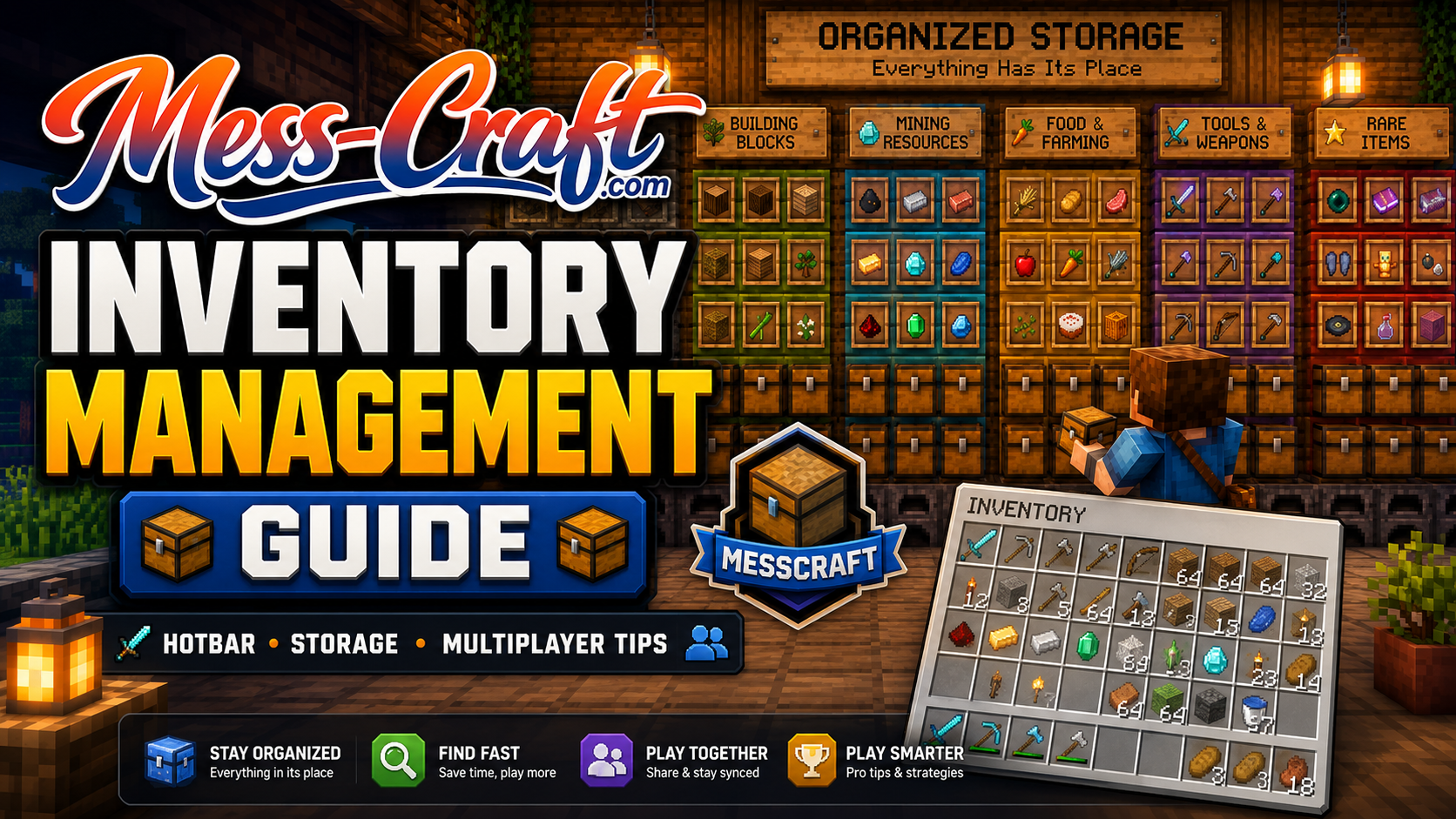
Inventory Management Guide for MessCraft Players
MessCraft looks simple when you first start: break blocks, collect resources, craft tools, survive longer. Then your inventory fills up with dirt, cobblestone, wood, food, ores, tools, and random items you swear you will need later.
That is where good inventory management changes the game.
This Inventory Management Guide for MessCraft shows you how to keep your items organized, avoid wasted trips, build a smarter storage system, and move through survival or multiplayer with less chaos. MessCraft is a browser-based Minecraft-style game that supports singleplayer and multiplayer, so strong item organization matters whether you are playing alone or sharing space with others.
Inventory Management Guide for MessCraft: Why It Matters
Inventory management is not just about neat chests. It affects how fast you mine, how safely you explore, and how efficiently you build.
Poor inventory habits usually lead to three problems: you run out of space during mining, lose track of important materials, or waste time searching through messy storage. A clean system prevents all three.
In MessCraft, every slot should have a purpose. You do not need a complicated setup. You need a simple structure you can repeat.
Start With a Clean Hotbar
Your hotbar is your command center. If it is messy, every task feels slower.
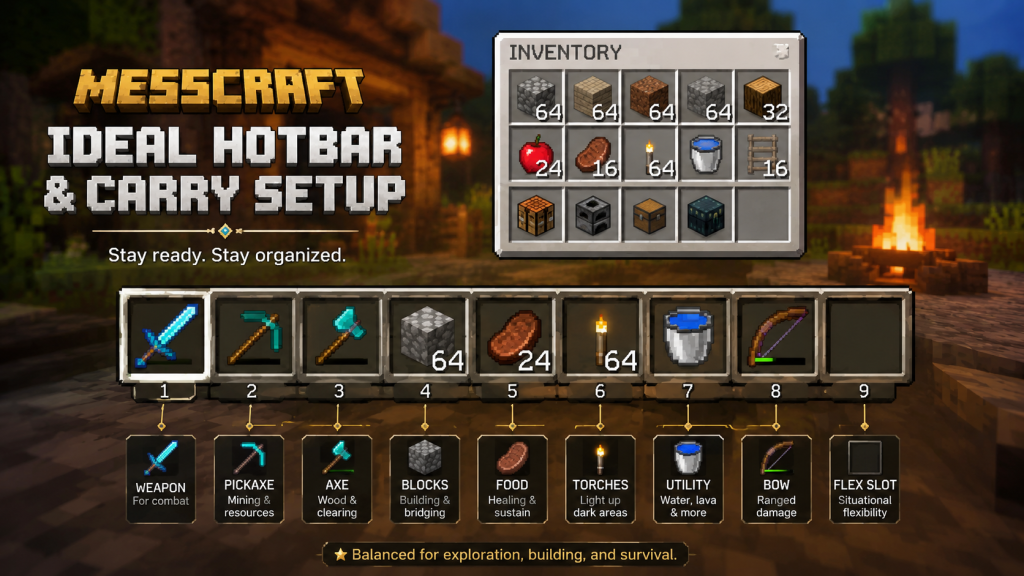
A good default hotbar setup looks like this:
- Sword or main weapon
- Pickaxe
- Axe or shovel
- Blocks for building or climbing
- Food
- Torches
- Water bucket or utility item
- Bow or backup tool
- Empty slot for quick pickup or flexible use
The exact layout can change, but keep it consistent. Muscle memory saves time, especially during fights, cave exploration, or sudden falls.
Sort Items by Function, Not Random Category
Most players sort items too broadly. One chest for “blocks” becomes useless once it has stone, dirt, sand, glass, wood, wool, and slabs all mixed together.
Instead, sort by function.
Recommended MessCraft Storage Categories
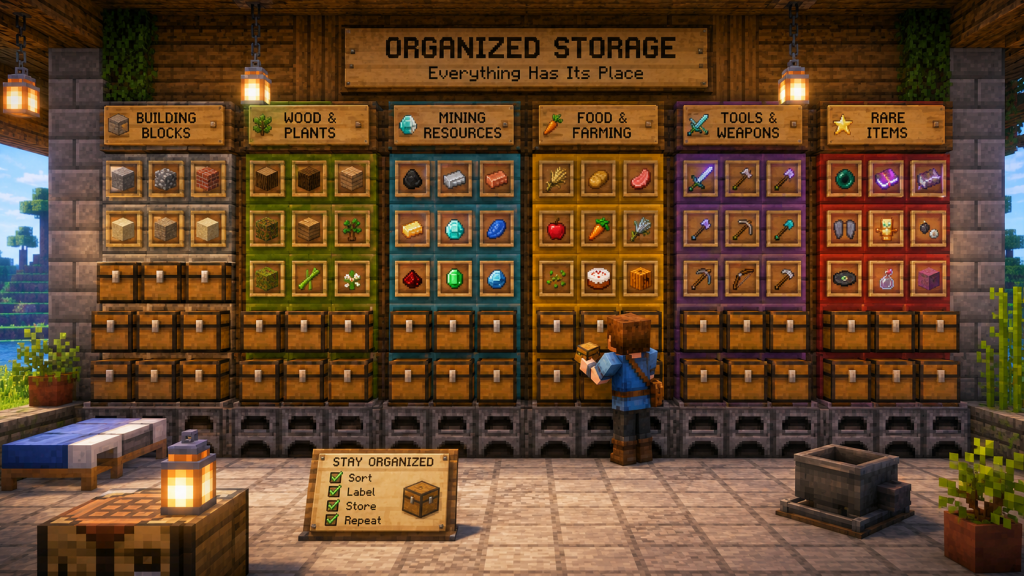
Use separate chests or sections for:
- Building blocks: stone, dirt, sand, glass, bricks
- Wood and plants: logs, planks, saplings, seeds
- Mining resources: coal, iron, gold, diamonds, redstone-style items
- Food and farming: crops, meat, bread, ingredients
- Tools and weapons: spare pickaxes, swords, armor
- Crafting materials: sticks, string, leather, paper, bones
- Rare items: valuables, special drops, hard-to-replace materials
This makes your base easier to use because every item has a natural home.
Use the “Base, Bag, Backup” Method
A simple framework helps you avoid carrying too much.
Base Items
These stay in storage. Examples include extra ores, spare armor, rare materials, and bulk building blocks.
Bag Items
These are the items you carry for your current task. Mining? Bring pickaxes, torches, food, and blocks. Building? Bring the exact materials needed.
Backup Items
These are emergency supplies kept near your exit or main base area: extra food, tools, armor, torches, and basic blocks.
This system keeps your inventory light without leaving you unprepared.
Prepare Different Kits for Different Tasks
MessCraft becomes easier when you stop packing from scratch every time.
Create small “kits” in chests for common activities.
Mining Kit
Include pickaxes, torches, food, blocks, and a weapon.
Building Kit
Include your chosen blocks, scaffolding-style blocks, tools, and food.
Exploration Kit
Include food, weapons, tools, torches, blocks, and a clear inventory for loot.
Farming Kit
Include seeds, hoe, water-related items, food, and storage space.
Kits reduce decision fatigue. You grab, go, and play.
Do Not Carry Everything Valuable
One of the biggest inventory mistakes is carrying rare items “just in case.” That usually ends badly.
Before exploring caves, fighting enemies, or traveling far, store your most valuable items. Carry only what supports the mission.
A smart rule: if losing it would hurt, leave it at base unless you need it right now.
Label Storage Visually
Even without advanced tools, you can make storage easier to read.
Place chests in rows by category. Use blocks near chests as visual labels. For example, put a wood block near your wood chest, stone near your building chest, and ore blocks near your mining chest.
This matters more in multiplayer. Shared bases become messy fast when nobody knows where items belong.
Keep a Dump Chest — But Control It
A dump chest is useful after mining or exploration. It gives you a quick place to unload.
But it should not become permanent chaos.
Use one dump chest near your entrance, then sort it at the end of each session. If the dump chest fills up, stop and organize before starting another major task.
A dump chest is a temporary inbox, not a storage strategy.
Know When Inventory Mods Are Not the Answer
Some Minecraft inventory management mods add sorting, transfer, and stacking buttons. For example, the Inventory Management mod on Modrinth and CurseForge is described as adding item sorting and transfer features.
But MessCraft runs in a browser environment, so do not assume every Minecraft mod will work with it. The safest approach is to build strong manual habits: consistent hotbar layout, clear chest categories, task kits, and regular sorting.
Multiplayer Inventory Rules
If you play MessCraft with others, agree on simple storage rules early.
Use shared chests for common resources and personal chests for private items. Keep rare materials in a clearly marked area. Do not mix food, ores, tools, and blocks in the same chest unless everyone agrees.
A shared base needs fewer rules than you think. It just needs clear ones.
Quick Inventory Checklist
Before leaving your base, ask:
- Do I have food?
- Do I have the right tools?
- Do I have enough torches or blocks?
- Did I store rare items?
- Do I have enough empty slots?
- Do I know where I will put loot when I return?
This 20-second check can save an entire trip.
Conclusion
Good inventory management in MessCraft is about control. When your hotbar, chests, and task kits are organized, you spend less time searching and more time building, mining, exploring, and surviving.
Start small. Fix your hotbar, create basic chest categories, and use one kit for mining. Once that feels natural, your whole game becomes smoother.
FAQ
What is the best way to organize inventory in MessCraft?
Use a consistent hotbar, separate chests by function, and carry only what you need for your current task.
Should I keep a dump chest?
Yes, but use it only as temporary storage. Sort it regularly so it does not become another messy chest.
What should I carry while mining?
Bring pickaxes, torches, food, a weapon, blocks, and several empty inventory slots for ores and resources.
How do I manage storage in multiplayer?
Create shared categories, label chest areas visually, and separate common resources from personal items.
Can I use Minecraft inventory mods in MessCraft?
Not always. MessCraft is browser-based, so mod support may differ. Manual organization is the most reliable method.