
Creative Building Designs for Beginners in Messcraft
Your first Messcraft build does not need to be huge to look impressive. In fact, most beginner builds go wrong for one simple reason: players try to build big before they understand shape, depth, color, and purpose.
Messcraft is built around the same creative block-building appeal that makes sandbox games so addictive: you gather, place, shape, protect, and improve your world one block at a time. Some Messcraft versions focus on browser-based Minecraft-style play, while others include survival, building, mobs, crafting, and multiplayer-style creativity.
This guide gives you practical, creative building designs for beginners in Messcraft, with ideas you can actually start using right away. No overcomplicated castles. No impossible material lists. Just smart designs that help your builds look intentional from the first wall.
Why Beginner Builds Often Look Too Plain
Most new players build a box because it works. Four walls, a door, a roof, done. The problem is not the box itself. The problem is that it has no detail.
A beginner build usually feels flat because it has:
- one block type everywhere
- no roof shape
- no windows or trim
- no path, garden, or outside detail
- no clear purpose beyond “place to survive”
A better build starts with a simple idea: make every side worth looking at. Even a tiny wooden house can feel creative if it has a porch, roof overhang, window boxes, lanterns, fences, or a small farm beside it.
Creative Building Designs for Beginners in Messcraft
If you are new, start with builds that teach one skill at a time. These designs are simple enough to finish, but creative enough to make your world feel more polished.
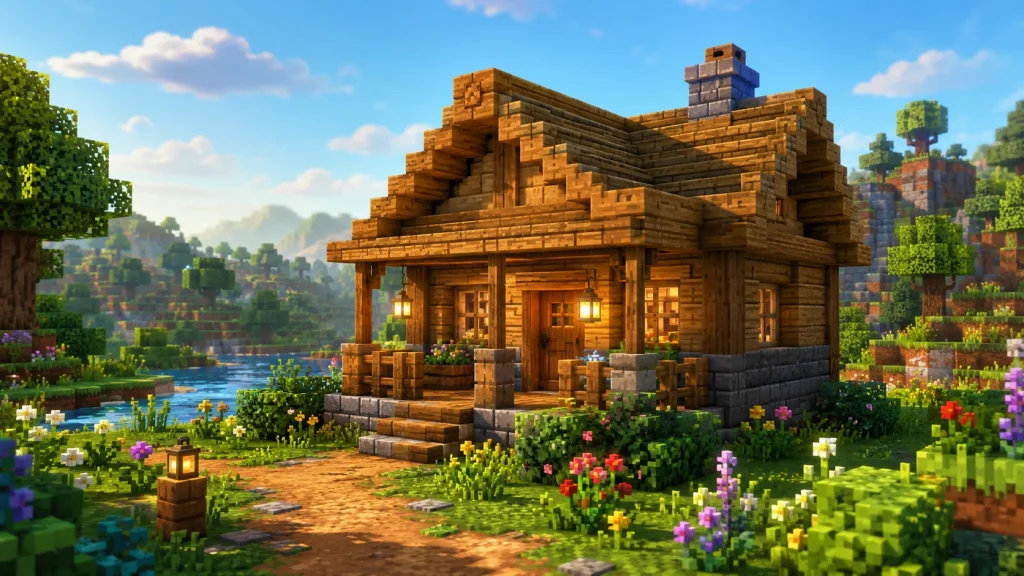
1. The Cozy Starter Cabin
A starter cabin is the best first serious build because it teaches shape, roof design, and block contrast.
Use a rectangle base, but avoid making every wall flat. Add logs or darker blocks at the corners, use planks for the walls, and place stairs along the roofline. A small porch instantly makes it look warmer.
Beginner layout idea:
- 7×9 block base
- front porch with fence posts
- sloped roof using stairs
- two windows on the front
- small storage corner inside
To make it feel less basic, add a chimney, campfire smoke effect if available, or a small garden path leading to the door.
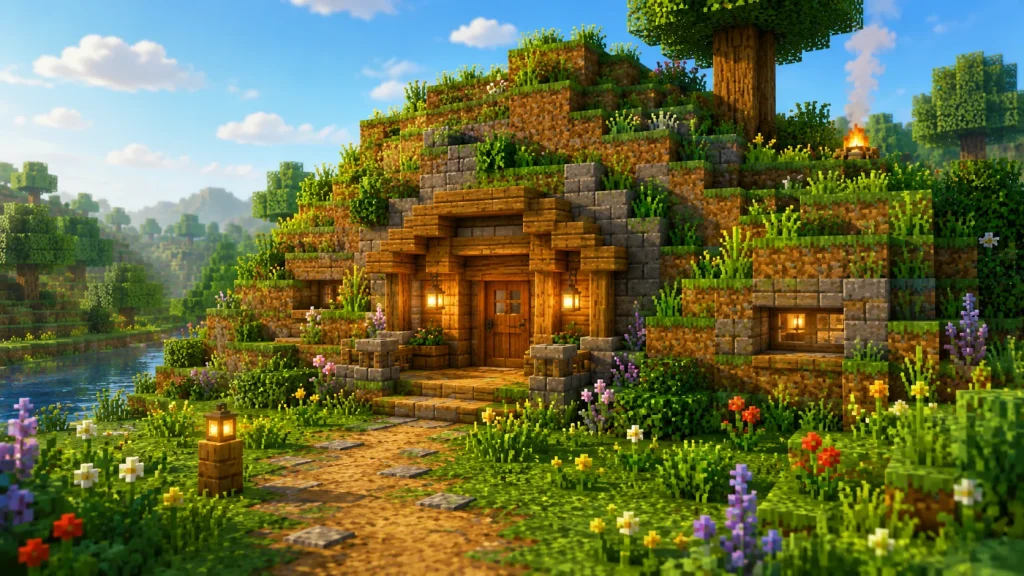
2. The Hillside Hideout
A hillside build is perfect if you do not want to design a full exterior. You can carve into a hill, then make the entrance look beautiful.
The trick is to treat the entrance like the “face” of the build. Use stone, wood, glass, steps, and lighting to frame it. Inside, divide the space into sections: bed, storage, crafting, and mine access.
This design is great for survival-focused beginners because it is safe, compact, and easy to expand.
Creative touch: add a balcony or window cut into the side of the hill so the base does not feel like a cave.
3. The Mini Watchtower
A watchtower is one of the easiest ways to make your world feel more advanced. It does not need to be tall. Even a 10–14 block tower can look strong if it has shape.
Start with a square or circular-looking base. Use fences, slabs, stairs, or trapdoor-style details if available. The top should be slightly wider than the body of the tower to create a lookout platform.
Use it near your house, farm, village, or claimed area. MessCraft’s official info page mentions region/claim features for protecting builds from griefing, so a watchtower also fits naturally into a protected base theme.
4. The Simple Farmhouse
A farmhouse gives your build a purpose. Instead of placing crops randomly, build a home that connects naturally to the land.
Use a small house, fenced crop fields, a water source, a tool shed, and a path. Keep the colors earthy: wood, stone, dirt paths, leaves, hay-like blocks, or warm lighting.
A good farmhouse does not need heavy decoration. Its charm comes from structure and setting.
Add these details:
- fenced crop rows
- small animal pen
- water well
- storage shed
- lanterns or torches along the path
This is one of the best designs for beginners because every part has a reason.
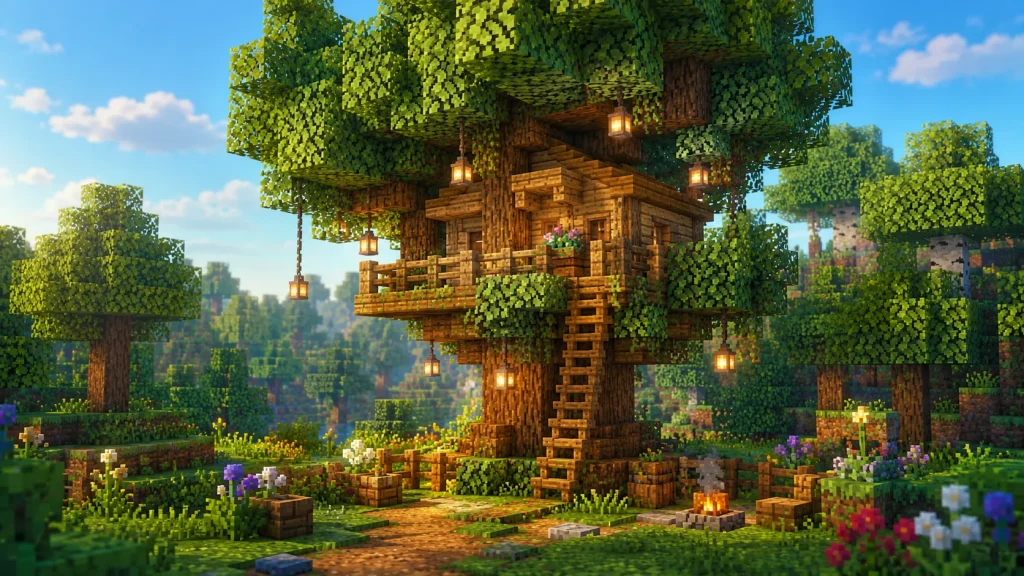
5. The Treehouse Base
A treehouse looks creative even when it is small. It also teaches vertical building, which is useful once you move beyond ground-level homes.
You can build around an existing tree or create a thick custom trunk. Place a platform first, then build a small room on top. Add ladders, fences, leaves, and hanging lights.
Do not make the platform too large at first. A compact treehouse looks better than a giant floating box.
Beginner tip: keep the house shape simple, then use leaves and branches to make it feel natural.
A Simple Design Framework for Better Builds
Before placing blocks, use this quick framework: Shape, Texture, Function, Detail.
Shape
Do not rely on one rectangle. Add a porch, side room, tower, balcony, or roof extension. Even one extra section makes a build feel designed.
Texture
Use two or three block types. For example, mix wood walls with stone foundations and darker roof blocks. Avoid using too many colors at once.
Function
Ask what the build is for. A house, farm, storage room, tower, dock, or mine entrance should each look slightly different.
Detail
Add the final 10%: windows, fences, paths, plants, lighting, signs, stairs, slabs, or roof edges. This is where beginner builds start looking polished.
This is also where the idea of “khud say dhond kay lekhna” fits naturally: explore your world, notice the blocks and shapes around you, and build from what you discover instead of copying every detail blindly.

Beginner Mistakes to Avoid
Building Too Big Too Early
Large builds expose every design weakness. Start small, finish the build, then expand.
Using One Block Everywhere
A full wooden cube or full stone cube usually looks flat. Add contrast through corners, floors, roofs, and trim.
Ignoring the Roof
The roof can make or break a beginner build. Use stairs, slabs, or layered blocks to create depth.
Forgetting the Outside
Paths, fences, flowers, lights, farms, and small decorations make a build feel connected to the world.
Copying Without Learning
Tutorials can help, but do not just copy. Notice why a design works: shape, contrast, lighting, and proportions.
Best Beginner Build Order
If you want a smooth progression, build in this order:
- Starter cabin
- Farm and storage shed
- Mine entrance
- Watchtower
- Bridge or path system
- Treehouse or hillside base
- Larger village-style area
This order helps your world grow naturally. Each build teaches a new skill without overwhelming you.
Conclusion
Creative building in Messcraft is not about making the biggest structure first. It is about learning how small choices—roof shape, block contrast, pathways, windows, and purpose—turn a simple build into something memorable.
Start with one beginner-friendly design, finish it properly, then improve it piece by piece. A polished cabin will always look better than an unfinished castle.
FAQ Section
What is the easiest creative build for beginners in Messcraft?
A cozy starter cabin is usually the easiest. It teaches basic structure, roof design, block contrast, and decoration without needing rare materials.
How do I make my Messcraft house look less boring?
Add depth. Use corner blocks, windows, roof overhangs, a porch, lighting, paths, and two or three complementary block types.
Should beginners build in creative mode or survival mode?
Creative mode is better for practicing design. Survival mode is better for learning resource planning. Beginners can use both depending on their goal.
What should I build after my first house?
Build a farm, storage shed, mine entrance, path, or watchtower. These add function and make your world feel more complete.
How many blocks should a beginner use in one design?
Use two or three main block types. Too many blocks can make a beginner build look messy; too few can make it look flat.